 Net
NetDirectory submission workflow
The directory submission workflow is NetTree’s primary path for product directory submission and SaaS launch lists — from fit review to a directory submission tracker row.
Paths: /app/workflows/directory → /app/workflows/directory/[queueId]
Who this is for
Operators submitting to directories like Product Hunt-style lists, SaaS catalogs, and startup launch sites.
What you will learn
- Queue list and step navigation
- Draft fields and copy workflow
- Mark Submitted vs Mark published
- Listing URL storage and Tracker appearance
Step 1 — Pick a queue item
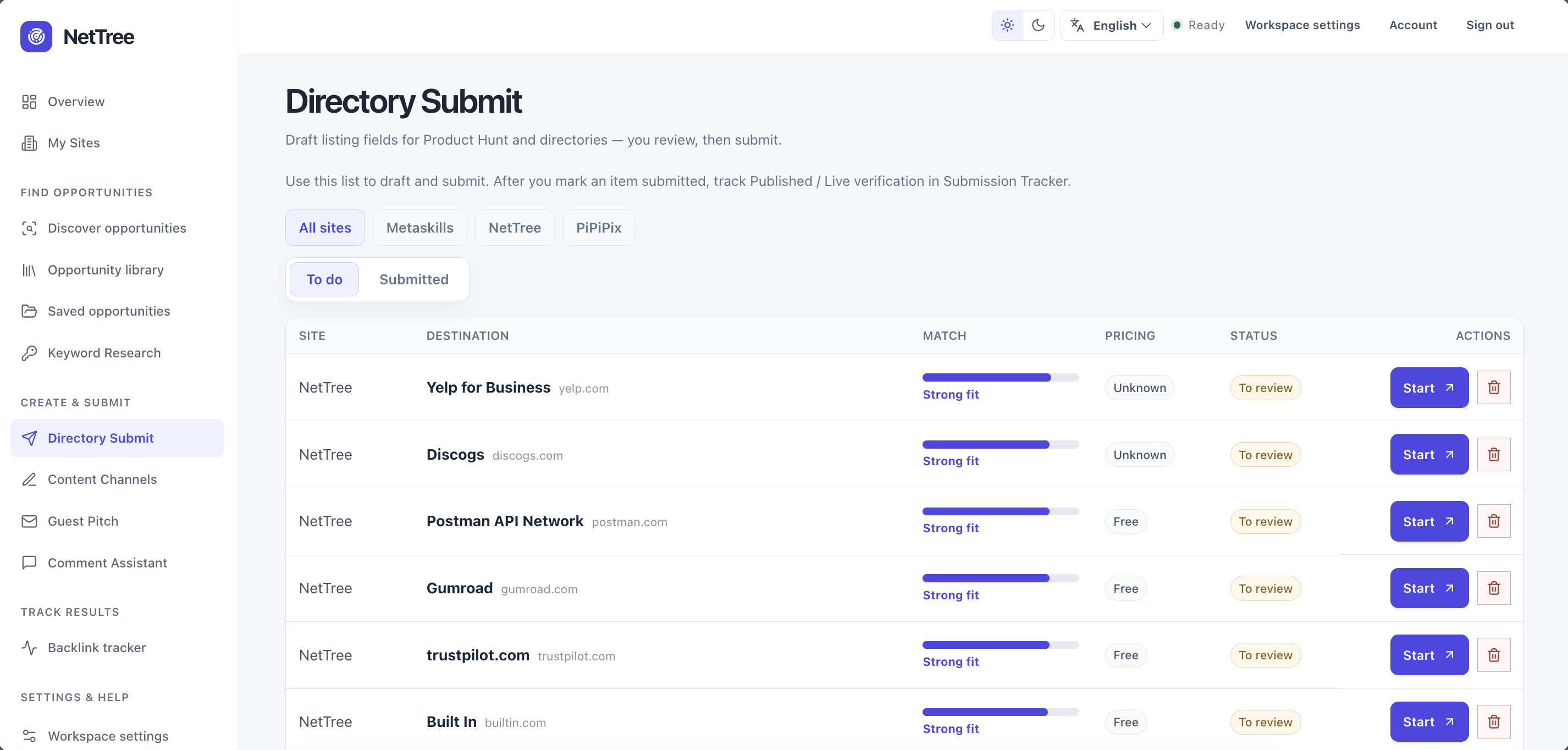
Open /app/workflows/directory. The list shows queue items routed as directory workflow, usually queued or draft_ready.
Click a row to open the workflow workbench for that destination and site.
Step 2 — Review destination context
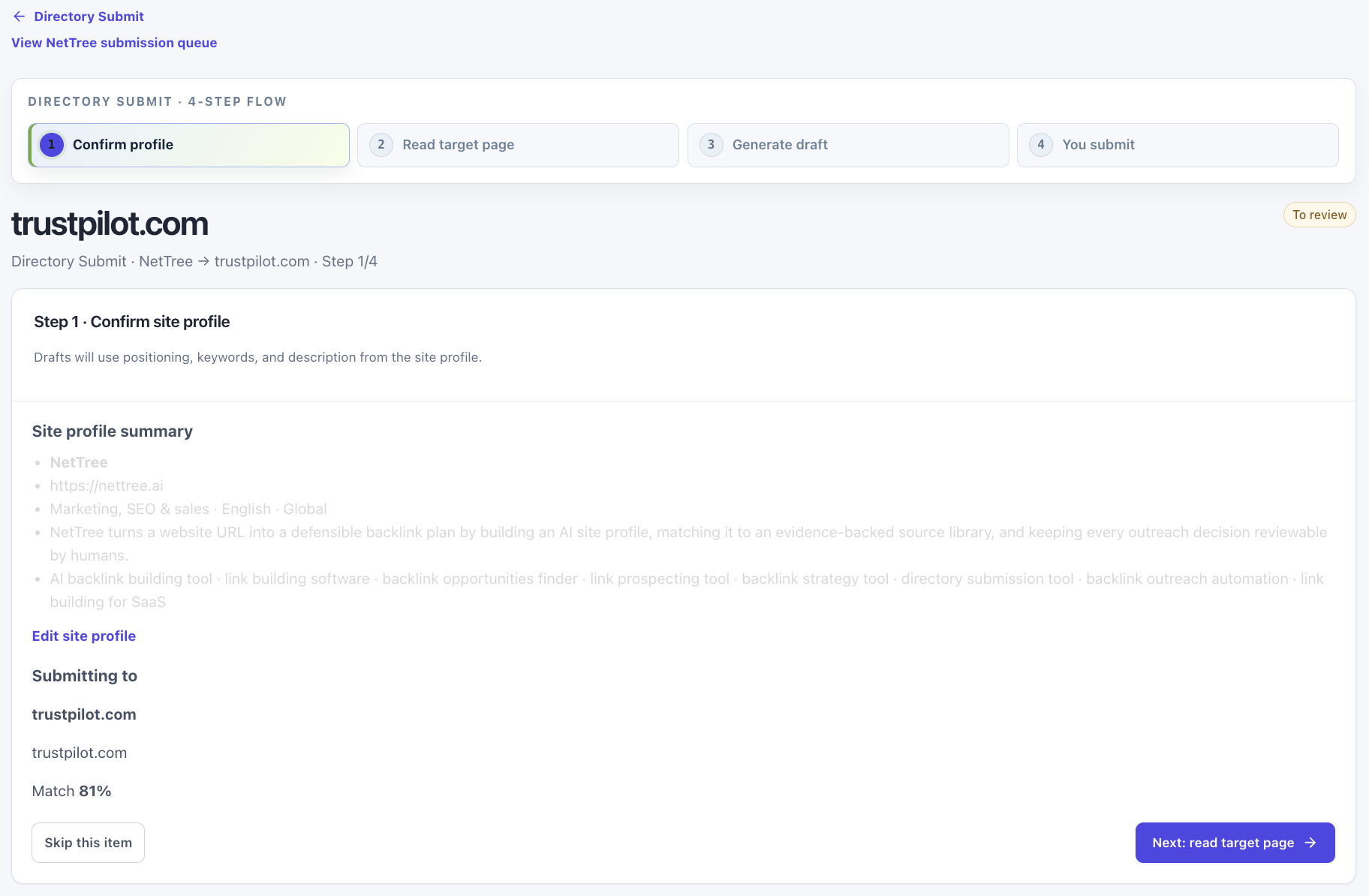
The workbench shows:
- Site profile summary (name, URL, positioning)
- Destination homepage and submit page link
- Ops remark from Plaza/library (policy hints, paid tiers)
- Fit signals from your site profile match
Confirm the directory accepts your product type and region before investing draft time.
Strategy: Directory field guide
Step 3 — Generate or edit the draft
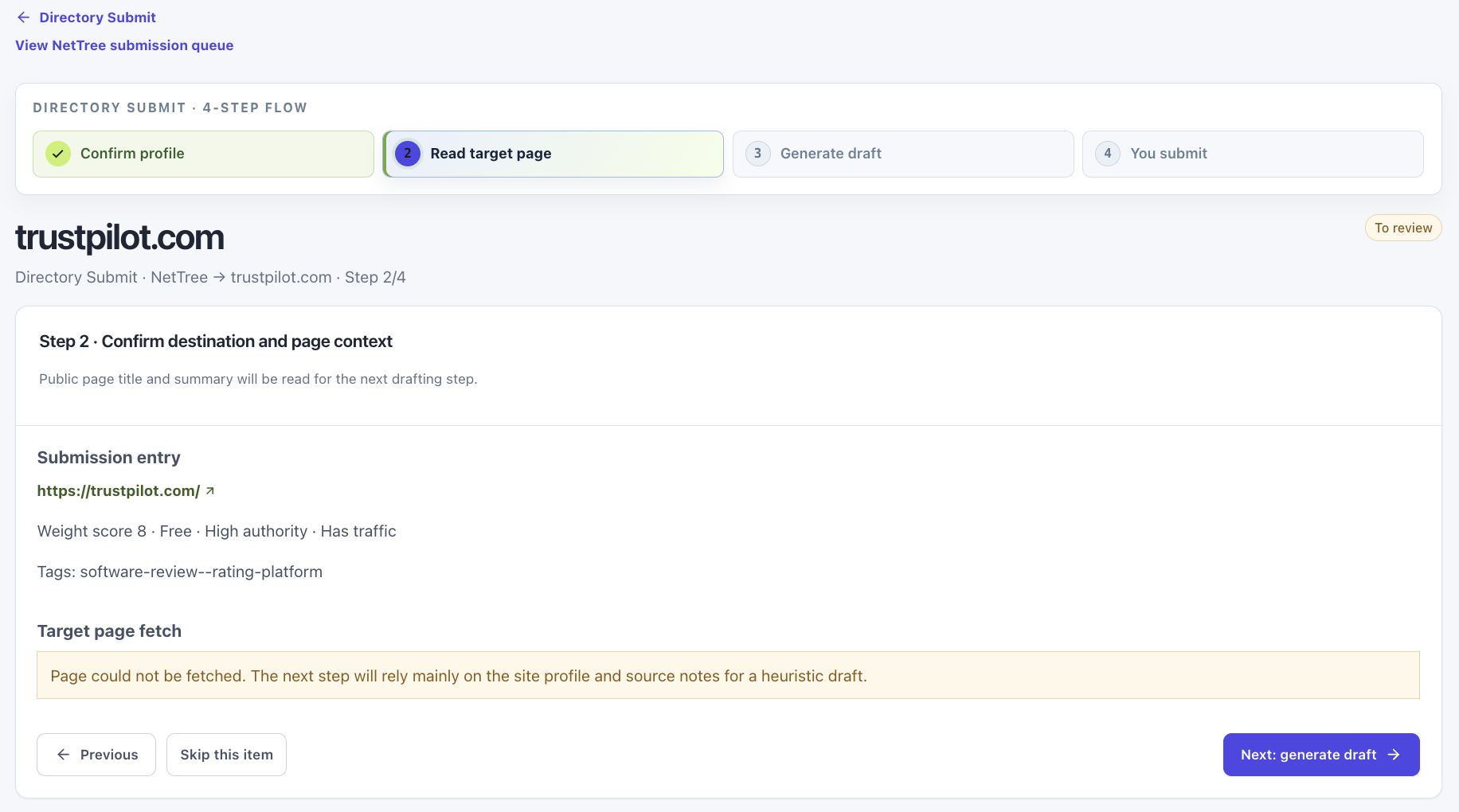
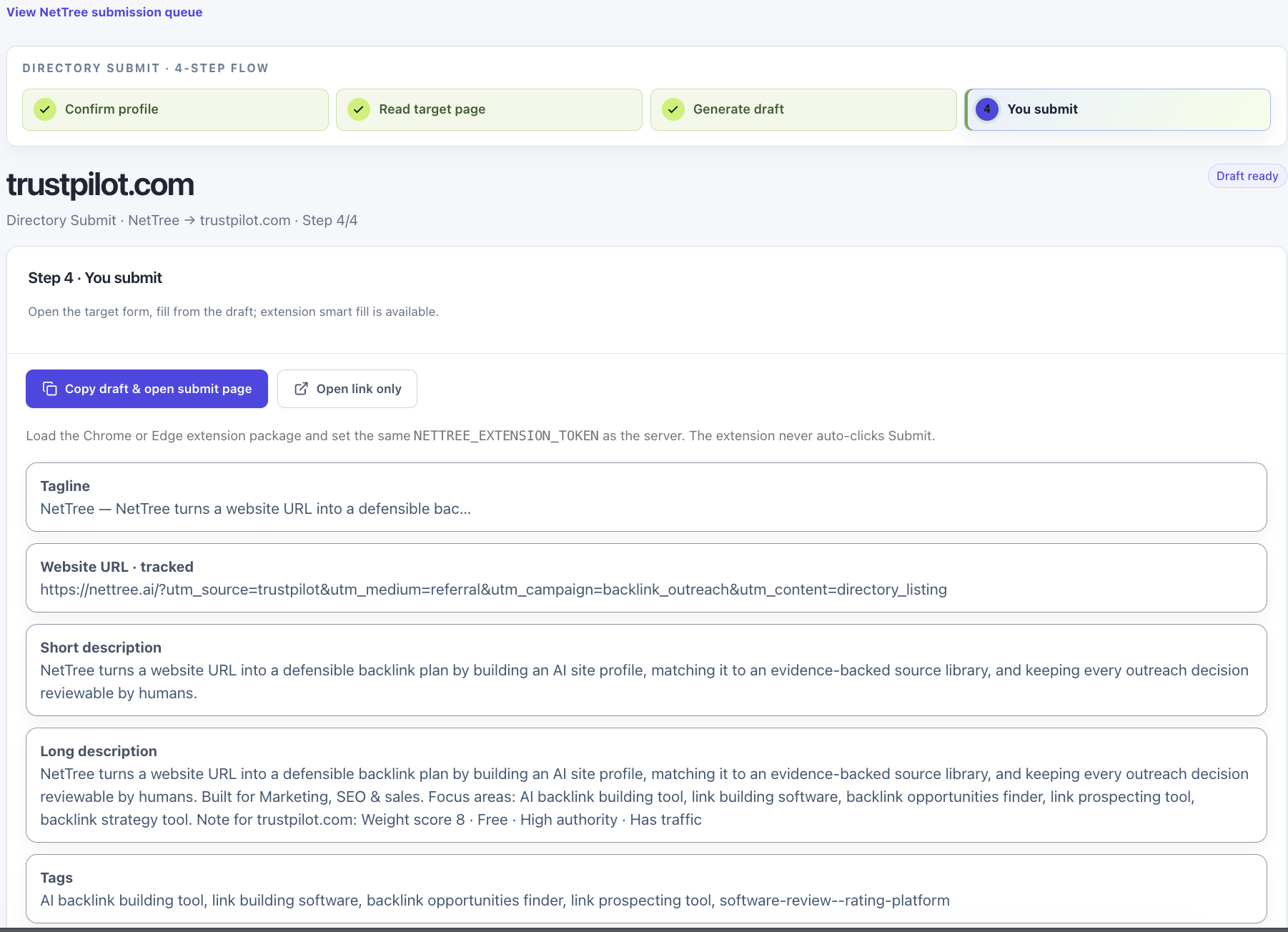
Use Generate draft to produce structured fields (short/long description, tags, URLs, category). Edit every field before copying — AI output is a starting point, not a submission.
Copy each field into the destination form, or use NetTree Assist for mapped fill preview on supported pages.
Step 4 — Submit manually
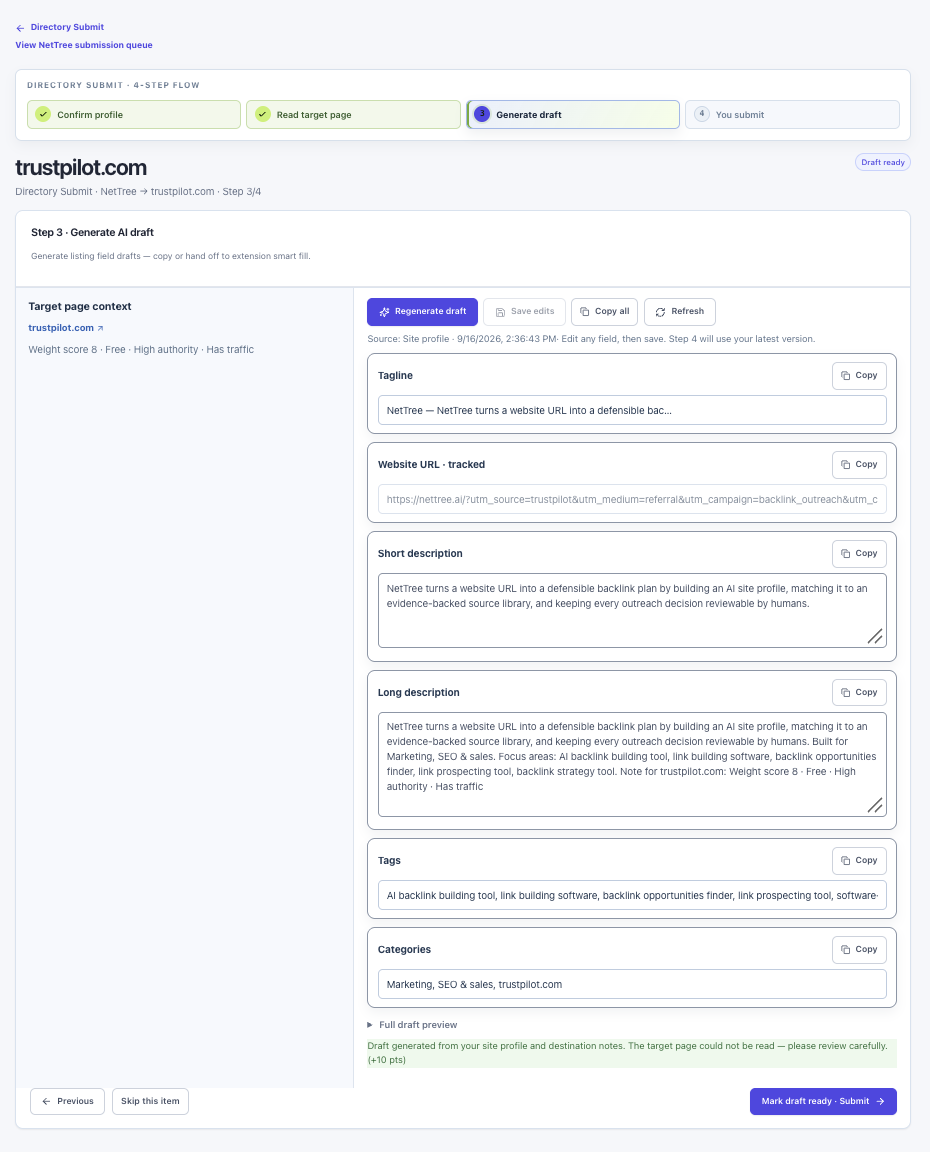
Open the submit page in a new tab. Complete sign-in, CAPTCHA, payment, and terms on the third-party site yourself.
NetTree never auto-clicks final Submit.
Step 5 — Mark Submitted
Back in the workbench, mark the queue item Submitted. Optional notes capture date, ticket ID, or “awaiting moderation.”
Queue user_status becomes submitted → Tracker Operation: Submitted, Link: Checking (until verified or marked live).
Step 6 — Add Live URL
When the directory publishes your listing, paste the public listing URL:
- In the workflow completion step, or
- In Tracker via Add live URL, or
- In batch register at
/app/tracker/batch
NetTree stores listing URLs in queue notes using a listing: prefix when saved through supported actions — used to resolve the Live URL column.
Listing URL format
Internal notes may contain:
listing:https://example.com/products/your-appTracker prioritizes explicit listing URLs over homepage fallbacks. See Submit page vs Live URL.
Mark Submitted vs Mark published
| Action | When to use | Verification |
|---|---|---|
| Mark Submitted | Right after you submit the form | No HTTP check |
| Mark published (Tracker) | Listing is public but no backlink record yet | Queue only |
| Add live URL then Recheck | Row already has a backlink record | Recheck runs verification; Add live URL alone does not |
For client reporting, prefer Link: Verified Live over Mark published alone.
Tracker row after completion
A directory row typically shows:
- Submit page — submission endpoint from link source or platform editor URL
- Live URL — listing page once saved
- Origin — often
plazawhen added from public library - Recheck — only when a backlink verification record exists
Batch register
After a long session with NetTree Assist, open /app/tracker/batch to mark many draft_ready directory items Submitted at once with optional listing URLs per row. Content-publish queue rows are excluded from this batch view.
Common questions
Paid directories? Note payment in queue notes. NetTree does not process payment — ops remark may mention paid expedite tiers.
Field length limits? Drafts respect typical form limits; always verify on the live form — directories truncate silently.
Reopen a skipped directory? Use Reopen in Tracker — queue returns to draft_ready.