 Net
NetPLATFORM PLAYBOOK · GITHUB.COM
GitHub repository & Pages playbook
Build a public GitHub presence you control—README, open docs, and GitHub Pages that link contextually to your product. This guide walks through the real NetTree open repository (NetTreeAi) and how it connects to nettree.ai.
This playbook documents how NetTree maintains a separate open repository (NetTreeAi) alongside the product at nettree.ai. You will see the actual folder layout, deployment workflow, and the URLs we track as owned-channel assets—not generic advice.
Case study: NetTreeAi → nettree.ai
Local path ~/Sites/ai/NetTreeAi · Public repo github.com/tsingniao666/nettreeai · Pages hub tsingniao666.github.io/nettreeai/
Follow the platform-native workflow
This is an owned channel — you create and maintain the page yourself. It is not a third-party directory submission or guest pitch.
- Separate product code from your open presence repo
NetTree’s SaaS application lives in a private product codebase. The public face on GitHub is a separate repository—NetTreeAi at ~/Sites/ai/NetTreeAi locally—that publishes methodology, curated samples, and GitHub Pages. That split keeps business logic private while giving search engines and researchers a crawlable, citable surface you own.
- Product app → nettree.ai (accounts, workflows, verification)
- Open repo → github.com/tsingniao666/nettreeai (docs, lists, Pages)
- Every meaningful page should link to the canonical product URL when it helps the reader
- Create the public repository and local workspace
Initialize a public repo (for NetTree we use nettreeai). Clone it beside your product work, e.g. ~/Sites/ai/NetTreeAi, so content updates ship on their own cadence. Add a clear LICENSE (MIT for our open docs), CONTRIBUTING.md, and a README that states what the repo is for—and what it is not (not a dump of every submission site, not auto-spam tooling).
- Repository name: short, memorable, matches your Pages URL path if possible
- Default branch: main
- Visibility: Public
- Website field (About): https://nettree.ai
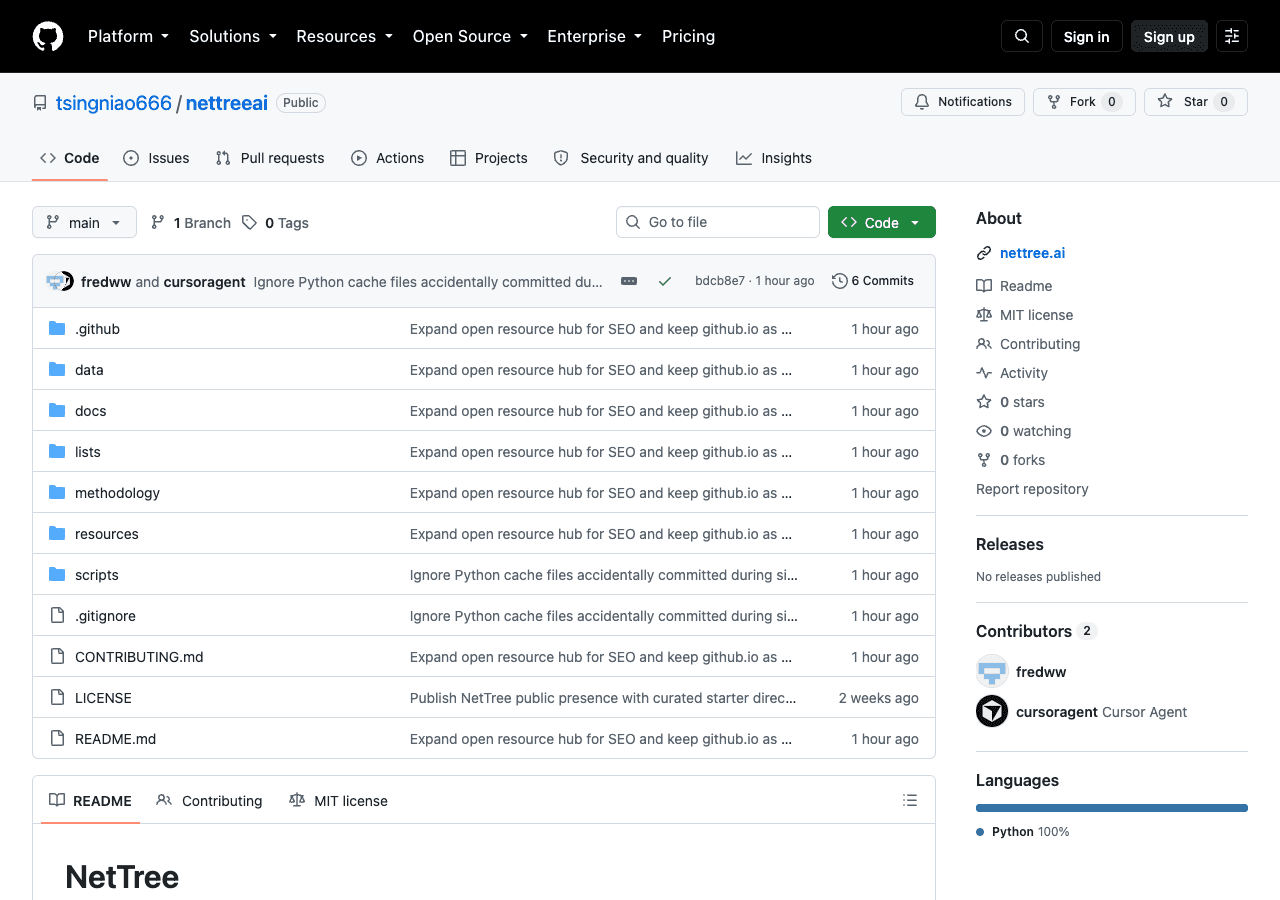
Live example: tsingniao666/nettreeai README orients visitors and links to nettree.ai plus GitHub Pages resources. - Write a README that search engines and humans can trust
Lead with one sentence on what the project does, then link to the product. NetTreeAi’s README explains NetTree in plain language, badges for the website and Pages hub, and a table mapping Markdown sources to browser-friendly Pages URLs. Include a 中文 section when you serve bilingual markets—GEO-friendly for Chinese queries without duplicating spam pages.
- First paragraph: problem → outcome → link to nettree.ai
- Resource table: hub home, methodology, starter lists, free CSV templates
- Quick start for the product (5 steps), separate from repo maintenance
- Disclaimer: no guaranteed rankings; third-party sites decide link attributes
- Configure repository About, topics, and social preview
In GitHub → Settings → General (or the About pencil on the repo home), set Description, Website, and Topics. For NetTreeAi we use topics such as backlinks, seo, saas, link-building, and growth. Enable Discussions with a Q&A template if you want community signal without mixing it into issue noise.
- Description: one line matching your README lede
- Website: canonical product URL (https://nettree.ai)
- Topics: 5–8 accurate tags—not keyword stuffing
- Optional: pin the repo on your profile if it is a flagship open asset
- Structure docs/ for GitHub Pages
Static HTML under docs/ becomes your Pages site. NetTreeAi keeps Markdown in lists/, resources/, and methodology/ for editing, plus rendered HTML in docs/ for indexing. Include robots.txt, sitemap.xml (generated on deploy), assets/site.css, and a zh/ mirror for Chinese Pages URLs.
- docs/index.html — hub with links to guides and nettree.ai
- docs/saas-directories.html, starter-directories.html — citable samples
- docs/github-pages-backlink-guide.html — meta guide for owned assets
- scripts/site_maintenance.py — regenerate sitemap and changelog
scripts/site_maintenance.pybash# Run from repo root (~/Sites/ai/NetTreeAi) python3 scripts/site_maintenance.py generate-sitemap python3 scripts/site_maintenance.py render-changelog python3 scripts/site_maintenance.py check-links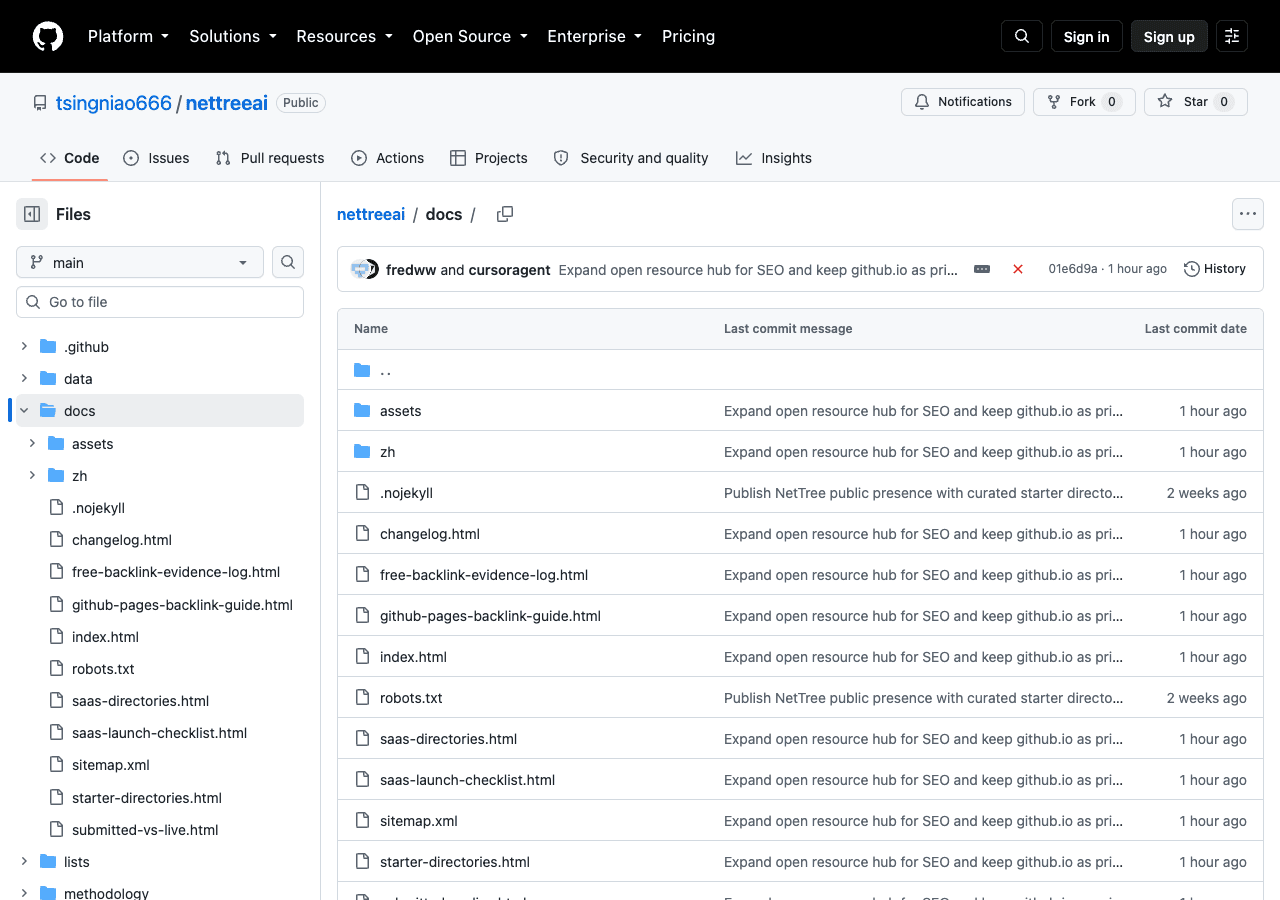
The docs/ folder is the Pages artifact root—HTML guides, sitemap, and zh/ mirror. - Deploy GitHub Pages with Actions
Use GitHub Actions instead of legacy branch publishing. NetTreeAi’s .github/workflows/pages.yml checks out main, runs site_maintenance.py (changelog + sitemap), uploads docs/ as the Pages artifact, and deploys. On push to main, Pages URL stays https://tsingniao666.github.io/nettreeai/—a separate hostname from nettree.ai, which is intentional for cross-domain discovery links.
- Settings → Pages → Source: GitHub Actions
- Workflow permissions: pages: write, id-token: write
- Post-deploy: optional search-engine ping from site_maintenance.py
- Verify the live URL in a private browser window before recording it
.github/workflows/pages.ymlyaml# .github/workflows/pages.yml (excerpt) permissions: contents: read pages: write id-token: write jobs: deploy: runs-on: ubuntu-latest steps: - uses: actions/checkout@v4 - name: Build site artifacts run: | python3 scripts/site_maintenance.py render-changelog python3 scripts/site_maintenance.py generate-sitemap - uses: actions/configure-pages@v5 - uses: actions/upload-pages-artifact@v3 with: path: docs - id: deployment uses: actions/deploy-pages@v4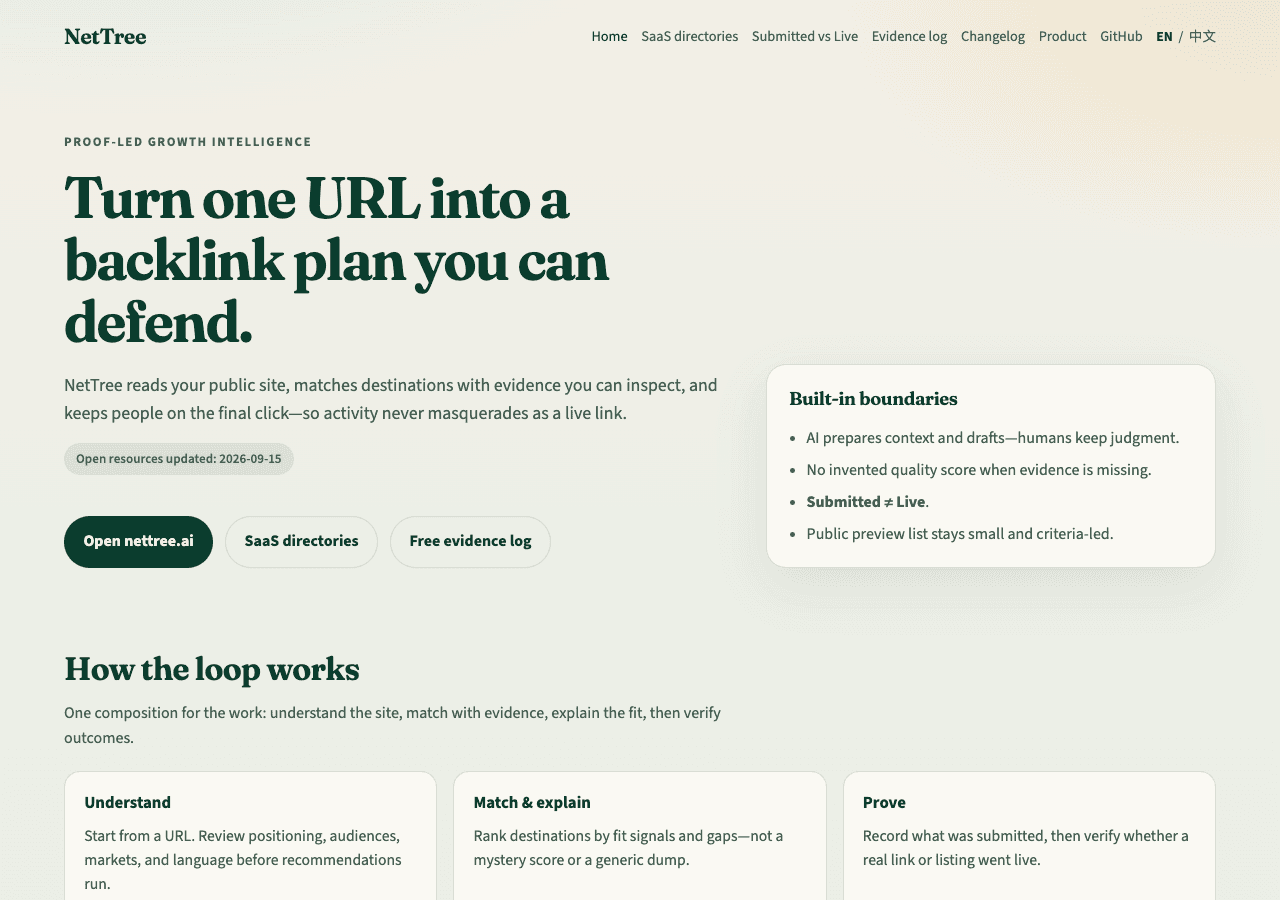
Published Pages hub—each guide links contextually to open resources and the product home. - Publish useful open resources (not doorway pages)
Ship content others can fork or cite: curated directory samples with inclusion criteria, a Submitted vs Live methodology note, and a free Backlink Evidence Log CSV. Automated workflows re-check starter URLs weekly/bi-weekly so the repo shows maintenance signal. The full matching library stays in the product—this repo is a honest preview.
- lists/starter-directories.md + .csv — 20-row public sample with last_verified
- resources/backlink-evidence-log.csv — portable verification template
- methodology/submitted-vs-live.md — defines Live vs Submitted
- Avoid: bulk URL dumps, copied marketing copy, keyword-only pages
- SEO & GEO checklist after first publish
Register the Pages property in Google Search Console and Bing Webmaster Tools; submit docs/sitemap.xml. Add the Pages hub to your llms.txt / public resource lists. Cross-link from nettree.ai (e.g. /guides/platforms/github) back to the repo so crawlers see a coherent graph. Keep changelog.html updated—freshness beats one-off launch spikes.
- Google Search Console: verify tsingniao666.github.io/nettreeai
- Submit sitemap: …/nettreeai/sitemap.xml
- Repository About → Website = nettree.ai
- Maintain docs/zh/ for Chinese discovery queries
- Use accurate titles and meta descriptions on each HTML guide page
- Record the live URL in NetTree Content Publish
Add github.com from the Public Library, open your queue item, and paste either the repository URL or the published Pages URL—whichever you track as the owned asset. NetTree treats this as an owned channel (repo/pages), not a directory submission. After the page is public, run link verification so the record moves from Submitted to Live only when the URL is reachable.
- Tracked URL examples: https://github.com/tsingniao666/nettreeai or https://tsingniao666.github.io/nettreeai/
- Match URL shape to what you actually maintain
- Re-verify after major README or Pages restructuring
Generative engine & multilingual discovery
- NetTree maintains bilingual Pages under docs/zh/ for Chinese discovery queries.
- Each HTML guide includes title, description, and canonical URL for citation by AI search tools.
- The open repo README includes a 中文简介 section aligned with the English lede.
Common questions
- Should I put my entire SaaS codebase on GitHub for backlinks?
- No. Ship a dedicated public repository with documentation, samples, or templates. Keep proprietary application code private. NetTree separates the product app from the NetTreeAi open hub.
- Which URL should I record in NetTree—the repo or GitHub Pages?
- Record the URL you maintain and want to verify. Many teams track the Pages hub (e.g. tsingniao666.github.io/nettreeai/) because it is the crawlable HTML surface; others track the repository URL for profile/README visibility. Stay consistent.
- Is a GitHub link guaranteed to pass PageRank to my domain?
- No platform guarantees ranking outcomes. GitHub may apply nofollow or ugc attributes. The goal is a legitimate owned asset with useful content and contextual links—not a loophole.
- How does this differ from submitting to a directory?
- Directories are third-party listings you apply to. GitHub is a channel you create and control. NetTree Content Publish keeps owned channels separate from directory workflows.
- Does NetTreeAi replace the in-product public library?
- No. The repo publishes a limited starter sample and methodology. The full evidence-backed library, drafts, and verification live inside nettree.ai after sign-in.